Aurora Signage
Aurora Builder Series

Three tools. One integrated LED design pipeline.

From screen configuration to structural engineering to PCB automation, Aurora's Builder Series is a vertically integrated software suite that takes LED display projects from concept to manufacturing-ready output.

How the Builder Series works together

Stage 1

ScreenBuilder

Design & configure LED screens, optimise cabinets, generate quotes.

Read more →
Stage 2

FrameBuilder

Generate structural steel frames, run FEA analysis and produce foundation drawings.

Read more →
Stage 3

AutoPCB

Import module grids, auto-generate PCB layouts and export to KiCad.

Read more →
Tool 01

ScreenBuilder

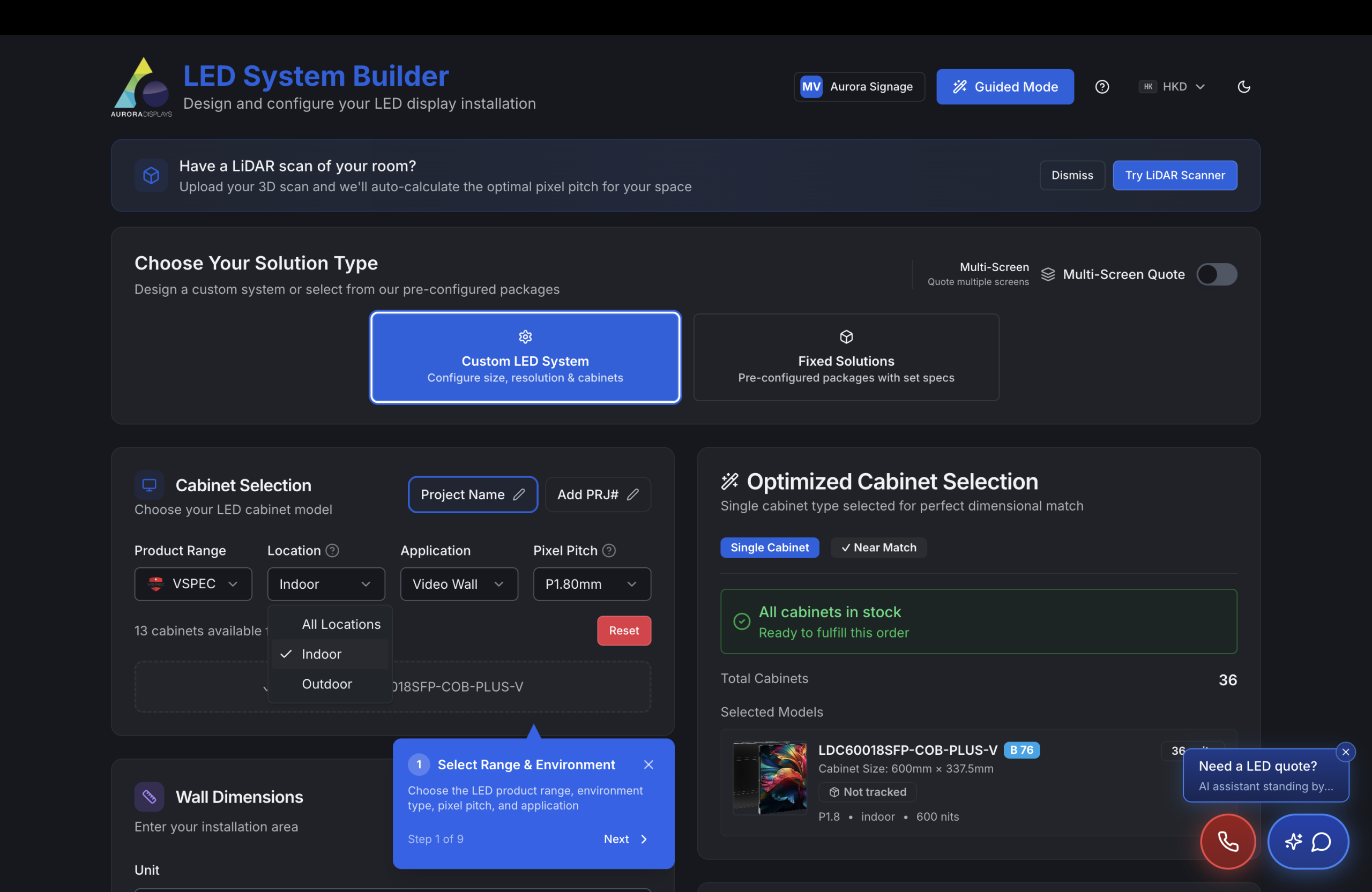
The complete LED screen design and quoting platform. Configure flat, curved, hybrid and creative displays with intelligent cabinet optimisation, real-time 3D preview and automated BOM generation.
Web applicationMulti-regionAI-powered
Wizard-driven configuration
Step-by-step setup for application type (indoor/outdoor), location, viewing distance and target dimensions.
Intelligent cabinet optimiser
Mixed-cabinet solutions using a greedy bin-packing algorithm to achieve zero dimensional error with the fewest cabinets.
4 screen design modes
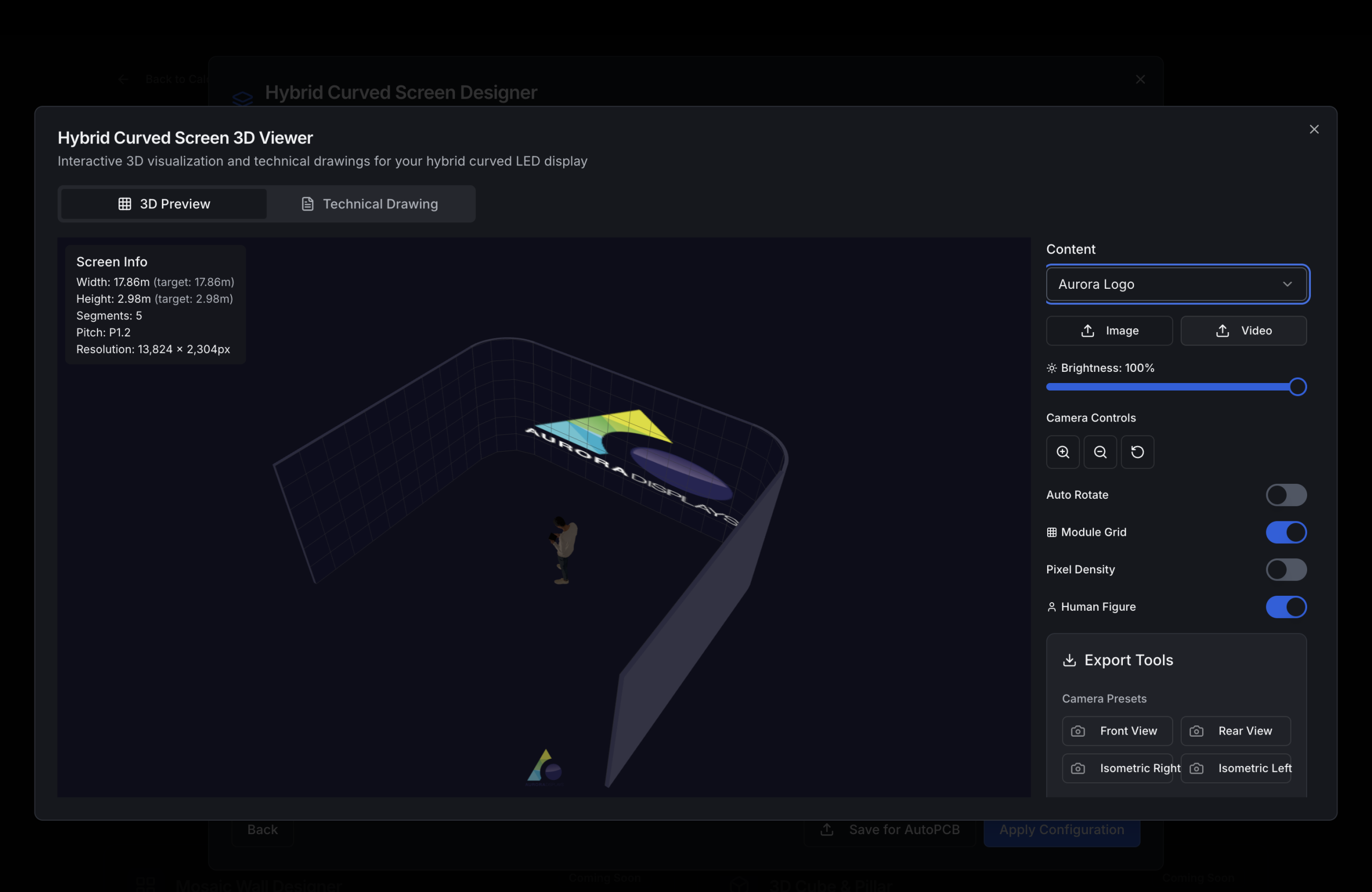
Flat (standard rectangular), Curved (single radius), Hybrid (mixed straight + curved with right-angle corners) and Creative (3D model import).
Interactive 3D preview
Real-time Three.js visualisation of individual cabinets, full screen arrays and cabinet grids with content overlay.
Automated BOM generation
Complete bill of materials including cabinets, modules, processors, receiving cards, signal/power cables, mounting hardware and spares.
Processor selection wizard
AI-driven recommendation engine matching pixel load, output requirements and budget to the optimal video processor.
H Series frame builder
For screens above 10 M pixels, a specialised configurator for Novastar H series modular video processors with input/output card selection.
Multi-screen project mode
Manage multiple screens within a single project with per-screen service costs, shared frames and aggregated pricing.
Professional PDF export
Technical quotes with topology diagrams, power distribution maps, size comparisons, tax calculations and currency conversion.
Multi-regional pricing
AU (AUD) and Export (USD) sales regions with automatic currency conversion and region-specific tax handling.
40+
Cabinet models
4
Design modes
6
Tax regions
3D
Live preview
ScreenBuilder — calculator with 3D preview and cabinet optimisation
Multi-screen project mode with quotes and BOM export
Tool 02

FrameBuilder

Structural steel frame generation for any LED screen geometry, with built-in FEA analysis, wind / dead-load checks and foundation drawings ready for the structural engineer.
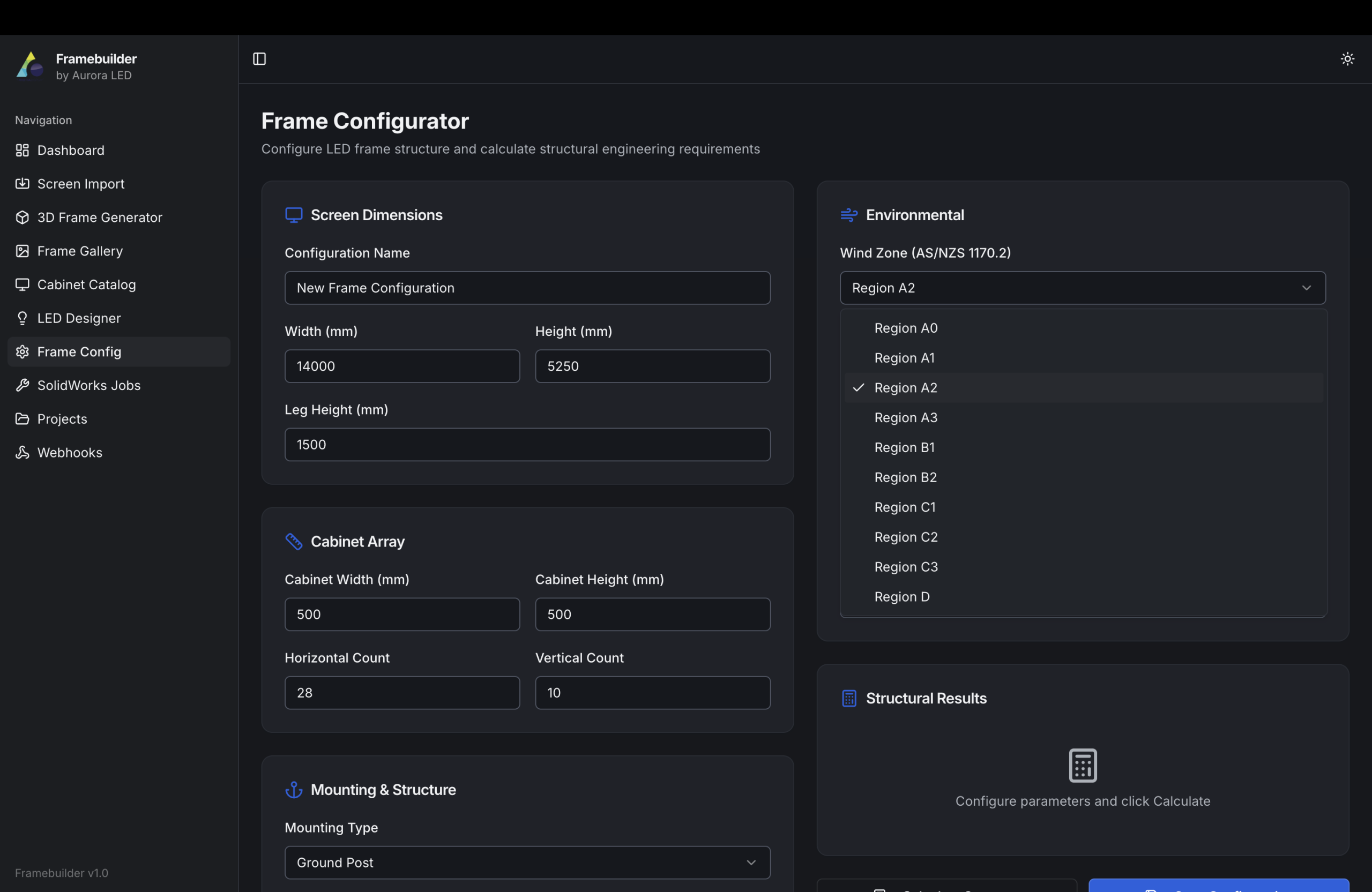
StructuralFEAAS/NZS compliant
Auto frame generation
Pulls cabinet array geometry from ScreenBuilder and generates a parametric truss / portal frame matched to the screen footprint.
Wind & seismic loading
Region-aware AS/NZS 1170 wind regions and importance levels — applied to projected screen area for ULS load cases.
FEA stress visualiser
Colour-mapped stress and deflection results overlaid on the 3D model so installers and engineers can sanity-check before sign-off.
Foundation packages
Concrete pad, ground-screw and rooftop ballast variants with rebar schedules and reaction loads exported as PDF.
Bolt & bracket schedules
Itemised hardware list (grade 8.8 / 10.9, galvanised) tied directly to the screen BOM so site kits arrive complete.
DXF / DWG export
Production-ready 2D drawings of every member and gusset plate, sized for laser cut and CNC bending.
1170
AS/NZS loadings
FEA
Stress mapping
DXF
Cut-ready output
PDF
Engineer reports
FrameBuilder — auto-generated steel frame with FEA stress overlay
Foundation package and engineer-ready PDF output
Tool 03

AutoPCB

A code-driven PCB layout engine that turns a module / pixel grid into manufacturable PCB designs. Drops directly into KiCad for review, and feeds gerbers straight to the SMT line.
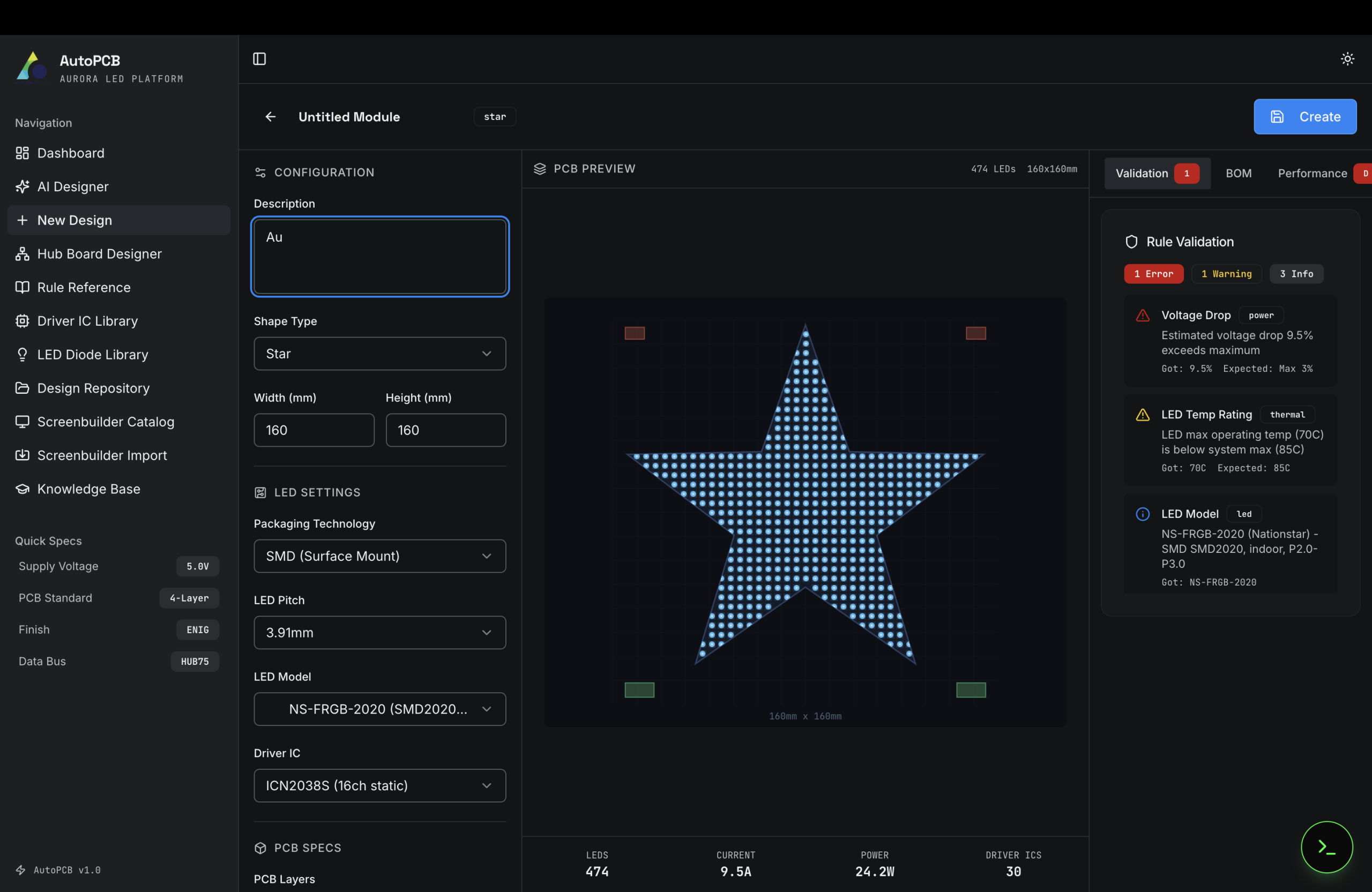
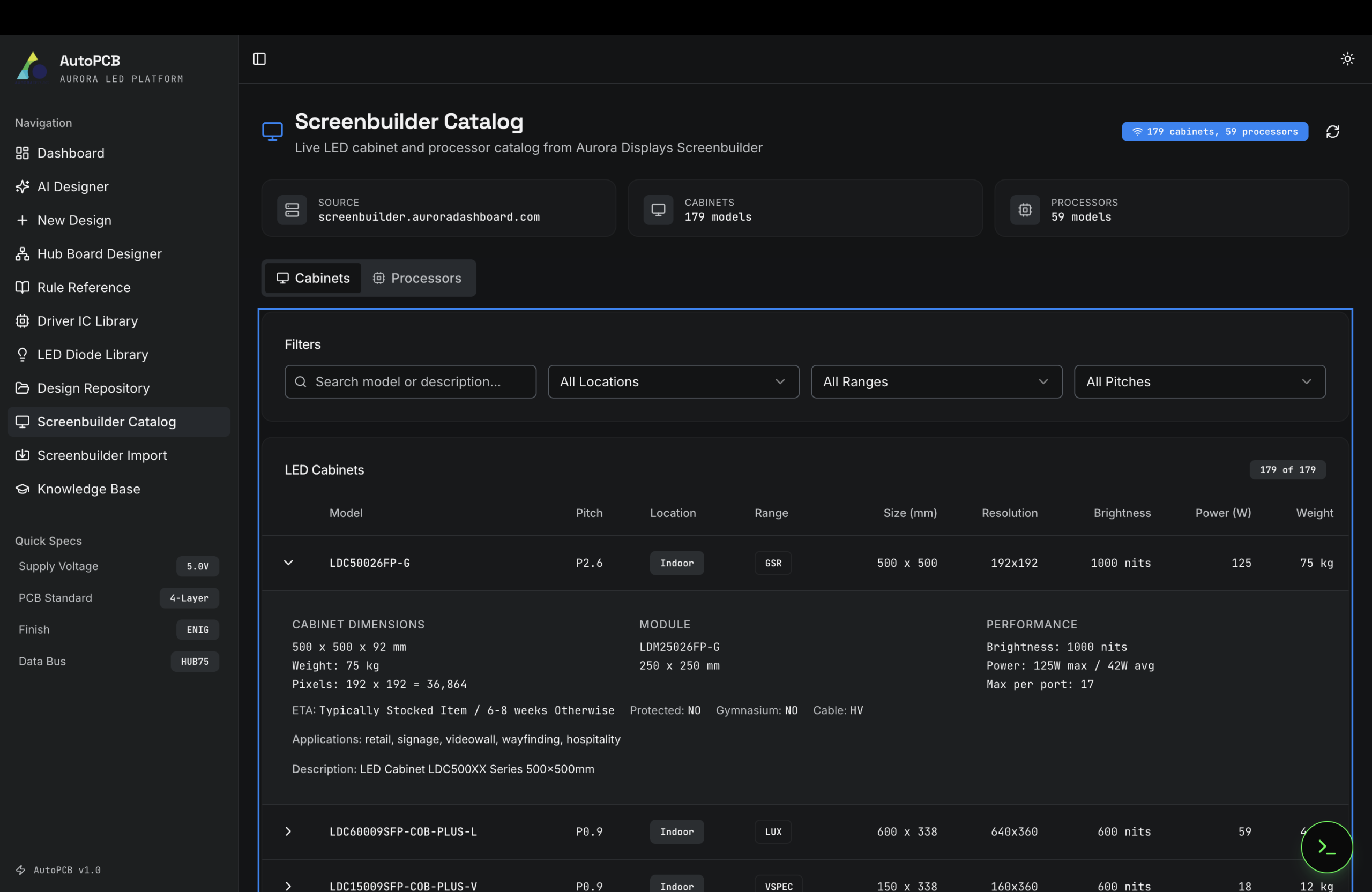
EDA automationKiCad exportGerber-ready
Pixel-grid → board layout
Define the LED matrix, pitch and driver topology — AutoPCB places every LED, driver IC, resistor and via at sub-millimetre precision.
Multi-layer routing
Auto-routes power, ground, R/G/B data and clock lines across 4–8 layers with controlled-impedance differential pairs.
DRC + DFM built-in
Continuous design-rule and manufacturability checks during generation — clearances, annular rings and copper pour validated before export.
KiCad-native output
Emits a fully editable .kicad_pro project so engineers can iterate, simulate or hand-tweak in the standard tool.
Gerber / pick-and-place
One-click export of gerbers, drill files, BOM and pick-and-place CSV ready for the SMT line.
Receiver-card variants
Same input grid produces variants for Novastar, Colorlight or Aurora-native receiving cards.
8L
Layer routing
DRC
Continuous check
KiCad
Native project
CAM
SMT-ready output
AutoPCB — generated multi-layer PCB ready for KiCad review
Gerber and pick-and-place export for the SMT line
Open data layer

One canonical product model. Everywhere.

The Builder Series sits on top of Aurora's live ScreenBuilder API. The same cabinet records that drive a manufacturing run drive every quote, every spec sheet — and every product page on this website. There is no "marketing version" of the catalogue.

Public REST endpoints (excerpt)

All endpoints return JSON, support CORS and are versioned via URL path.

GET /api/v1/cabinets — List active LED cabinets, filterable by range, location, pixel pitch.
GET /api/v1/cabinets/{slug} — Single cabinet — full specifications, certifications, documents.
GET /api/v1/processors — Compatible video processors with input/output card matrix.
POST /api/v1/configure — Submit a screen configuration; receive an optimised BOM, frame and quote.

Cabinet record

modelCode
LDC60018SFP-V
range
VSPEC
pixelPitchMm
1.8
brightnessNits
800
ipRating
IP30

Frame package

member
SHS 75×75×4
windRegion
A4
maxStressMPa
142
baseplate
12 mm steel
anchor
M16 chemical

PCB output

layers
6
thickness
1.6 mm
receiver
Aurora R5 / Novastar A8s
bom
auto-generated
gerbers
ZIP, IPC-2581

Try the pipeline.

Start in ScreenBuilder, configure your screen, and request the engineering pack — frame drawings, PCB stack and BOM — generated automatically.